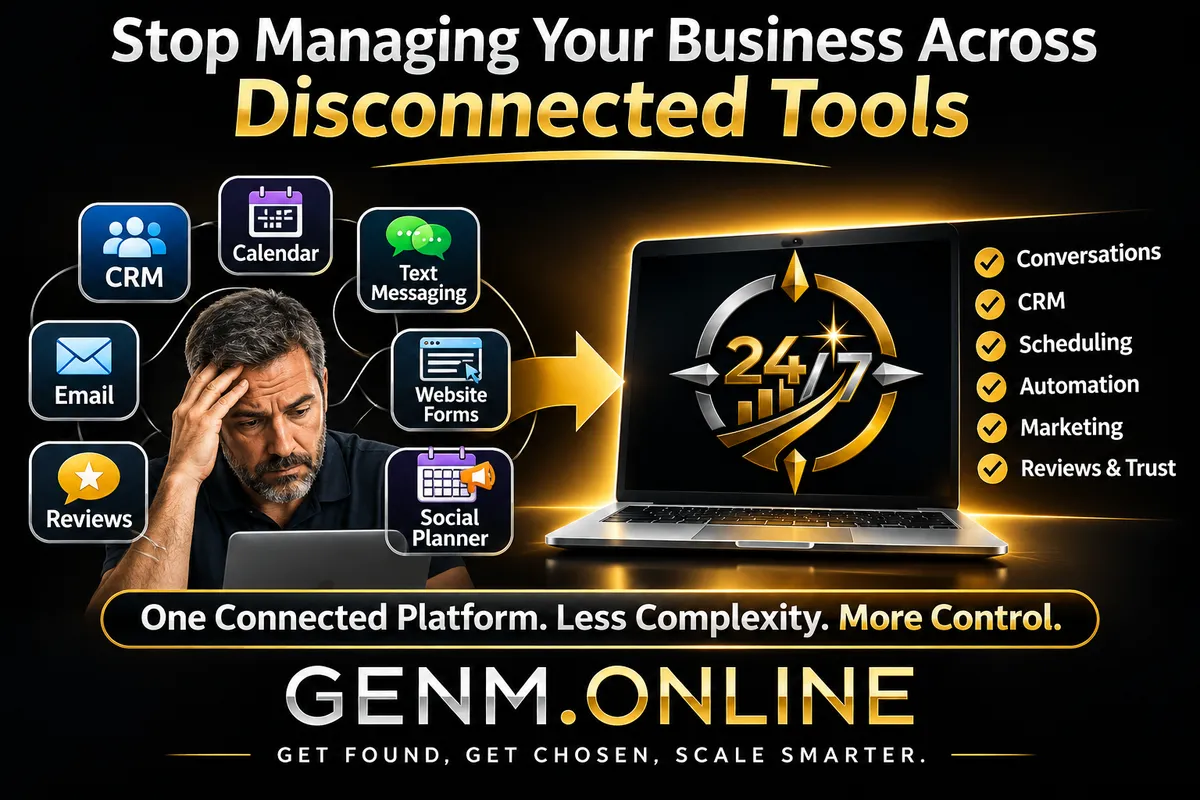
Stop Managing Your Business Across Disconnected Tools | GenM Online
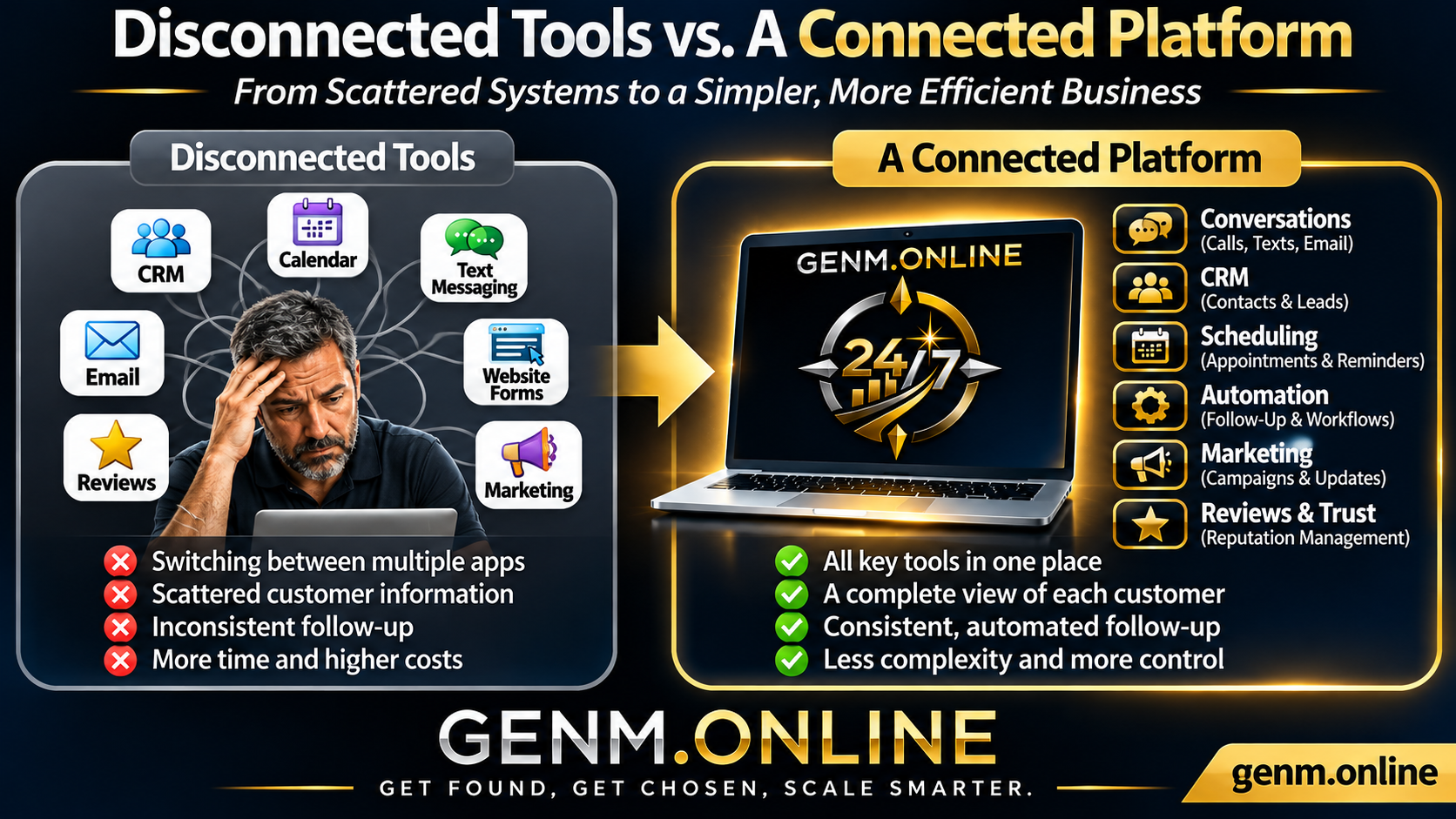
For many local and service-based businesses, software is supposed to make everyday operations easier. But over time, adding separate tools for customer communication, scheduling, marketing, reviews, and lead management can create an entirely different problem: too many disconnected systems.
A customer calls your business. Later, they send a text. Someone on your team replies by email, while the appointment is scheduled in another application. Meanwhile, the original inquiry is sitting in a spreadsheet.
Each tool may work well individually, but the overall customer experience can suffer when the information doesn't move between them.
The challenge isn't simply having too many tools. It's having tools that don't work together.
Connected business software helps service businesses organize customer information, improve communication, reduce repetitive administrative work, and create a clearer path from initial inquiry to booked appointment.
The Hidden Cost of Disconnected Business Tools
Most small businesses don't intentionally build complicated software systems. They add tools as needs arise.
A business might start with an email account and a phone number. Then it adds online appointment scheduling, a website form, a customer relationship management system (CRM), email marketing software, and a review management platform.
Eventually, everyday tasks require switching between multiple dashboards.
Customer Information Becomes Scattered
When customer details live in different systems, employees may not have the information they need when responding to inquiries.
A customer who already explained their problem through a website form may have to repeat it during a phone call.
An employee may send a follow-up message without knowing that another team member already contacted the customer.
These disconnected experiences create unnecessary frustration.
A connected CRM can help organize contact information, conversation history, notes, and opportunities into a more accessible customer record.
Follow-Up Becomes Inconsistent
Consider a home improvement contractor who sends an estimate to a prospective customer.
The estimate is emailed, but the reminder to follow up is stored in a separate calendar. If that reminder is missed, the opportunity may be forgotten.
Multiply this situation across dozens of inquiries, and inconsistent follow-up becomes a recurring operational problem.
Connected communication and automation systems can help teams schedule reminders, track lead stages, and follow up more reliably.
Administrative Work Takes More Time
Switching between systems isn't always the biggest problem. Re-entering information can be even more frustrating.
An employee might copy contact details from a website form into a spreadsheet, manually create an appointment, and then enter the same information into an email marketing platform.
These repetitive processes consume time that could otherwise be spent serving customers.
Connecting appropriate systems can reduce duplicate data entry and help information move more smoothly between business activities.
What Is Connected Business Software?
Connected business software brings related business functions together within one platform or through supported integrations.
Instead of treating customer communication, appointments, lead management, and follow-up as separate activities, connected systems allow them to work as parts of the same customer journey.
For service businesses, this can include:
Customer relationship management: Organizing contact details, conversation history, and sales opportunities.
Unified communication: Managing supported calls, text messages, emails, and customer inquiries.
Appointment scheduling: Connecting booking availability, confirmations, and reminders.
Workflow automation: Handling repetitive follow-up activities and administrative tasks.
Marketing tools: Supporting customer communication and ongoing campaigns.
Reputation management: Monitoring reviews and helping businesses maintain customer trust.
Reporting: Providing greater visibility into customer inquiries and business activity.
The objective isn't to automate every interaction or eliminate every existing application.
It's to create a simpler, more reliable operating environment where important business information remains connected.
How Connected Systems Improve the Customer Journey
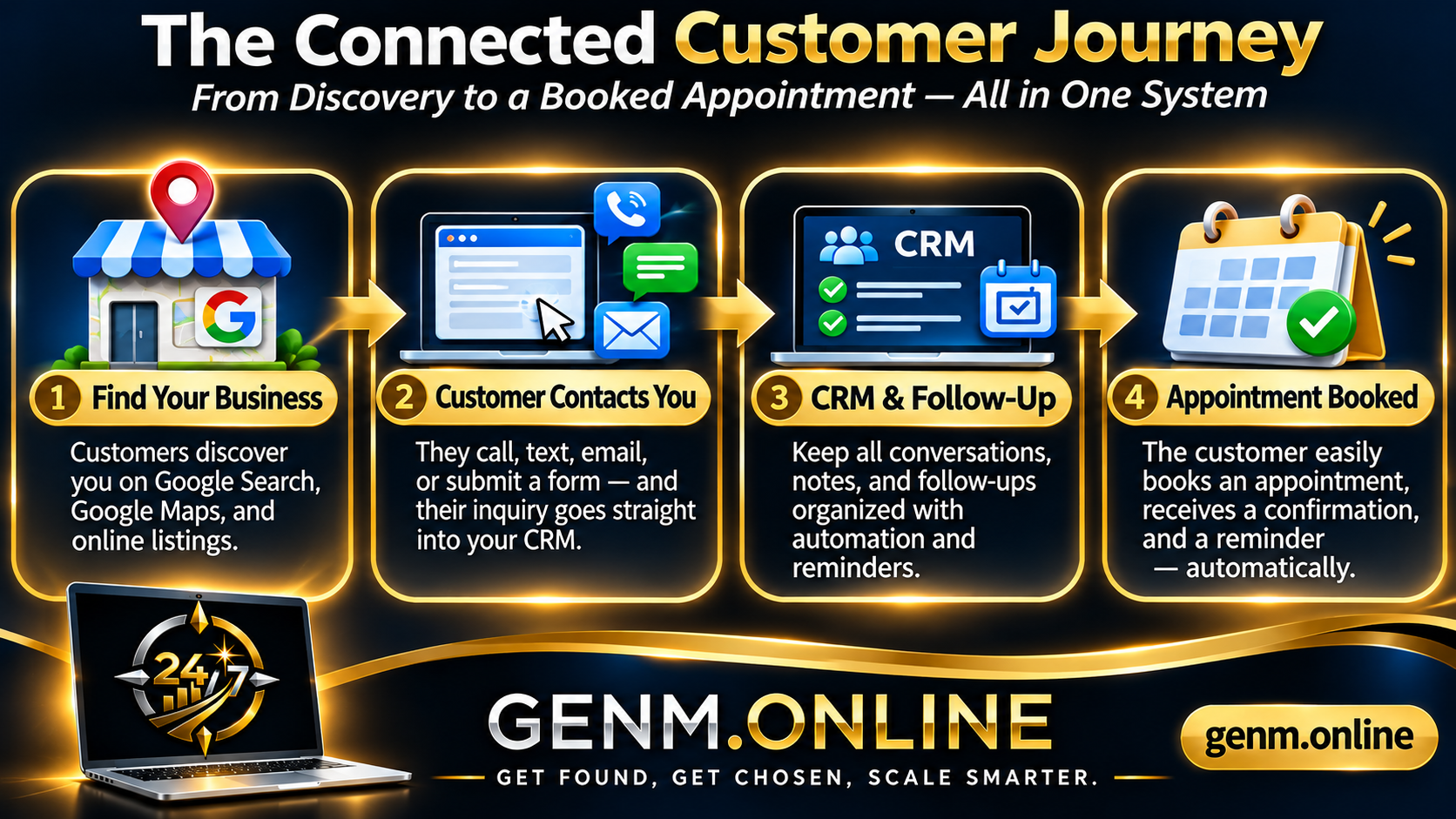
The benefits become clearer when you follow a customer from their initial search to their first appointment.
Step 1: A Potential Customer Finds Your Business
A homeowner searches online for a local service provider.
They might discover your business through Google Search, Google Maps, an online directory, or a recommendation.
Accurate business information, clear services, and customer reviews help them evaluate whether your business is a good fit.
This is where online visibility and reputation management support the beginning of the customer journey.
Step 2: The Customer Reaches Out
The homeowner submits a website form requesting an estimate.
In a connected system, that inquiry can create or update a contact record and notify the appropriate team member.
The customer can receive an acknowledgement confirming that the inquiry was received, with a clear explanation of what happens next.
Rather than leaving the request buried in an email inbox, the business has an organized record of the opportunity.
Step 3: Communication and Follow-Up Stay Organized
The customer replies to a text message with additional information.
Because supported communications are connected to the contact record, the team can review the conversation history before responding.
If an estimate is sent, a follow-up task or approved automated message can be scheduled.
This reduces reliance on handwritten notes or individual memory.
Automated messages should always respect customer preferences, applicable consent requirements, and opt-out requests.
Step 4: The Customer Books an Appointment
Once the customer is ready, a connected calendar can provide an easier way to select an available appointment.
Confirmations and reminders help both the customer and the business prepare.
Instead of repeating information or switching between disconnected systems, the customer moves through a clearer process.
For more practical ways to simplify this step, explore our GenM Online Insights articles, including our guide to making appointment booking easier.
Five Signs Your Business Has Too Many Disconnected Systems
You don't need a complicated technology audit to identify whether your current tools are creating problems.
Consider these five warning signs.
1. Your Team Frequently Switches Between Applications
If employees regularly need several separate tools just to respond to a customer inquiry, your workflow may have unnecessary complexity.
2. Customer Information Must Be Entered More Than Once
Repeatedly copying contact details, appointment information, and customer notes increases administrative work and the possibility of mistakes.
3. Important Follow-Ups Depend on Memory
If your team relies on remembering who needs a response, who received an estimate, or who requested a callback, opportunities can be overlooked.
4. Customers Have to Repeat Themselves
When a customer calls after sending a message, your team should ideally have access to the relevant conversation history.
Repeated questions can signal that important customer information is disconnected.
5. You Can't Easily See What Happens After an Inquiry
Business owners should be able to understand which leads are new, which have been contacted, which are awaiting follow-up, and which have become appointments or customers.
Without connected tracking, answering these questions becomes harder than necessary.
A Practical Business Software Consolidation Checklist
Before replacing or adding software, evaluate the systems you already use.
Use this checklist to identify opportunities for simplification.
Review your current applications. List the software used for customer communication, CRM, scheduling, marketing, and reputation management.
Identify overlapping features. Determine whether multiple subscriptions provide similar functionality.
Map the customer journey. Follow a typical inquiry from first contact through appointment scheduling and service completion.
Find repeated manual tasks. Look for information that employees must enter or transfer between systems.
Evaluate communication visibility. Confirm whether your team can access relevant customer history in one place.
Review follow-up processes. Identify which reminders and responses could benefit from appropriate automation.
Check integration requirements. Determine whether existing applications can connect through supported integrations.
Consider data privacy and access. Ensure systems are appropriate for the information being handled and the people who need access.
Measure practical value. Evaluate time savings, usability, customer experience, and total software costs rather than focusing only on subscription prices.
The goal is not necessarily to remove every separate application.
It's to eliminate unnecessary fragmentation and build a system that supports how your business actually operates.
How GenM Online Brings Business Systems Together
GenM Online helps local and service-based businesses improve visibility, build customer trust, communicate more effectively, and manage growth through connected software.
Its solutions address different parts of the customer journey.
Get Found: Visibility and Customer Trust
Get Found focuses on helping businesses strengthen their online presence and reputation.
Capabilities include business listings management, Google Business Profile optimization support, review management, and customer trust-building tools.
These functions help businesses maintain the information and credibility customers evaluate before making contact.
Growth Engine: Communication and Conversion
Growth Engine focuses on what happens after a potential customer reaches out.
It brings together capabilities such as CRM, customer conversations, appointment scheduling, marketing communication, workflow automation, and AI-assisted tools.
The goal is to help businesses organize inquiries, respond more consistently, reduce repetitive work, and move opportunities toward appointments and customers.
GENM NEXT: Connected Visibility and Growth
GENM NEXT combines the visibility and trust capabilities of Get Found with the communication, automation, and conversion capabilities of Growth Engine.
Rather than treating online discovery and customer follow-up as unrelated functions, the combined platform supports a more connected approach.
This doesn't mean every outside software product can automatically be replaced or integrated. Businesses should evaluate the features, connections, and requirements relevant to their operations.
You can explore the full solution structure on the GenM Online Solutions page and compare available options on our Pricing page.
Frequently Asked Questions
What is connected business software?
Connected business software allows related functions such as customer communication, CRM, scheduling, marketing, and automation to share information or operate within a unified platform. This helps reduce fragmented workflows and keeps relevant customer information more accessible.
Does a small service business really need a CRM?
A CRM can be valuable even for a business with only a few employees. It helps organize customer information, track inquiries, maintain conversation history, and establish consistent follow-up processes. The level of CRM complexity should match the business's needs.
Will connected software replace all my existing subscriptions?
Not necessarily. Some businesses may be able to consolidate several functions, while others need specialized applications for accounting, industry-specific operations, or other requirements. The best approach is to evaluate overlap, compatibility, and practical value before making changes.
Can connected software help reduce missed leads?
It can. Centralized lead records, notifications, organized conversation histories, and follow-up reminders can make inquiries easier to manage. Actual results depend on configuration, staff practices, and how consistently the system is used.
Build a Simpler, More Connected Business
Running a service business already involves managing customers, employees, appointments, and daily responsibilities.
Your software should help coordinate that work rather than create additional obstacles.
Disconnected systems can make customer communication harder, introduce repetitive tasks, and increase the risk of missed follow-up opportunities.
Connected business software offers a more organized approach by bringing relevant customer information, communication, scheduling, and automation together.
The result can be a simpler workflow, a better customer experience, and more time to focus on the work that matters.
Ready to simplify how your business operates?
Explore GenM Online Solutions to see how Get Found, Growth Engine, and GENM NEXT can support your visibility, communication, and growth goals.
Get Found. Get Chosen. Scale Smarter.


